1
Build the test
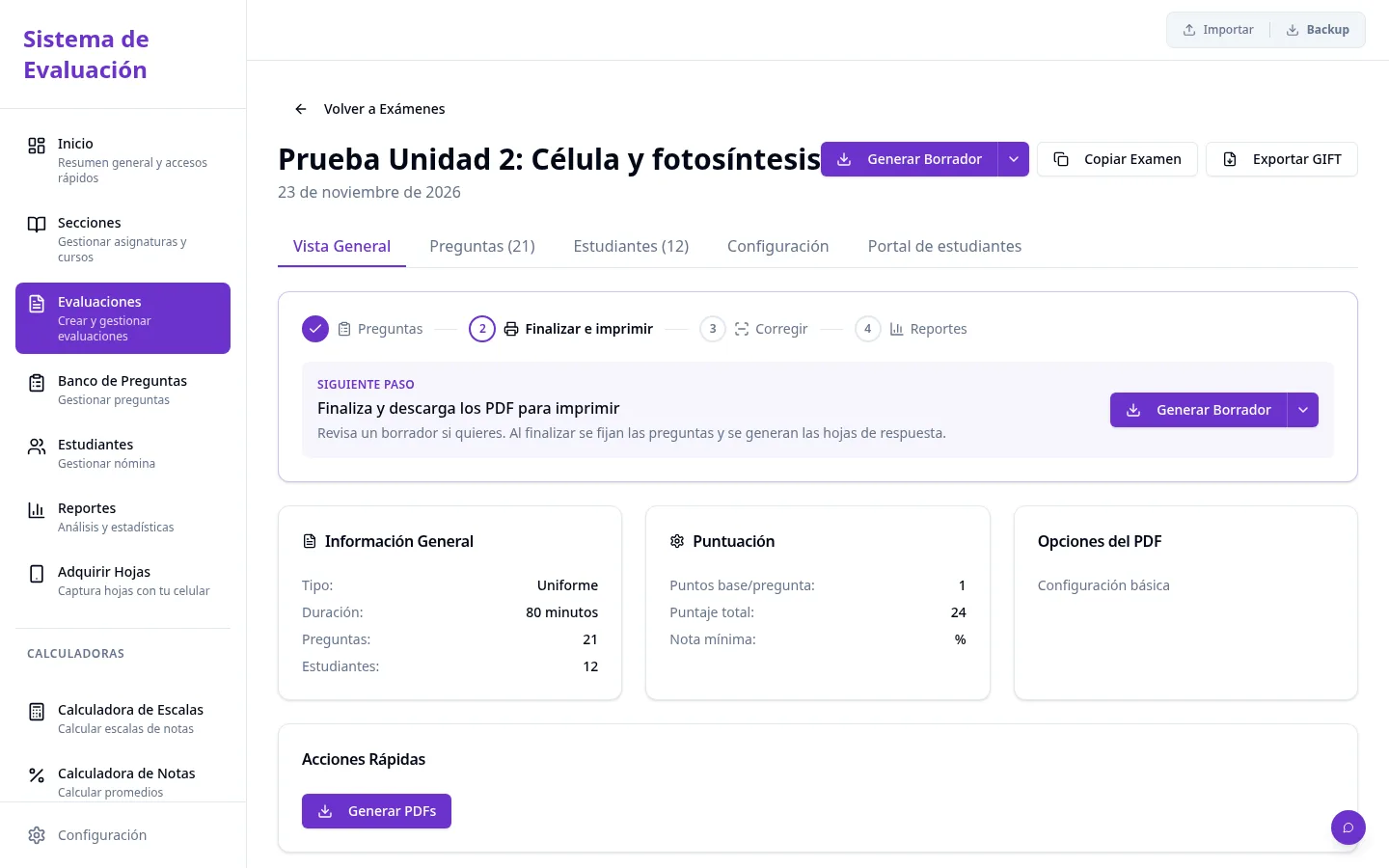
Pick questions from your bank and set points, passing threshold and grading scale.
Paper-based assessment for teachers
Nexam is a desktop app for building tests from your own questions, printing them with their answer sheet and grading them from a photo or a scan.
The full cycle of a written test, with no spreadsheets and no hand-grading of multiple-choice answers.
Pick questions from your bank and set points, passing threshold and grading scale.
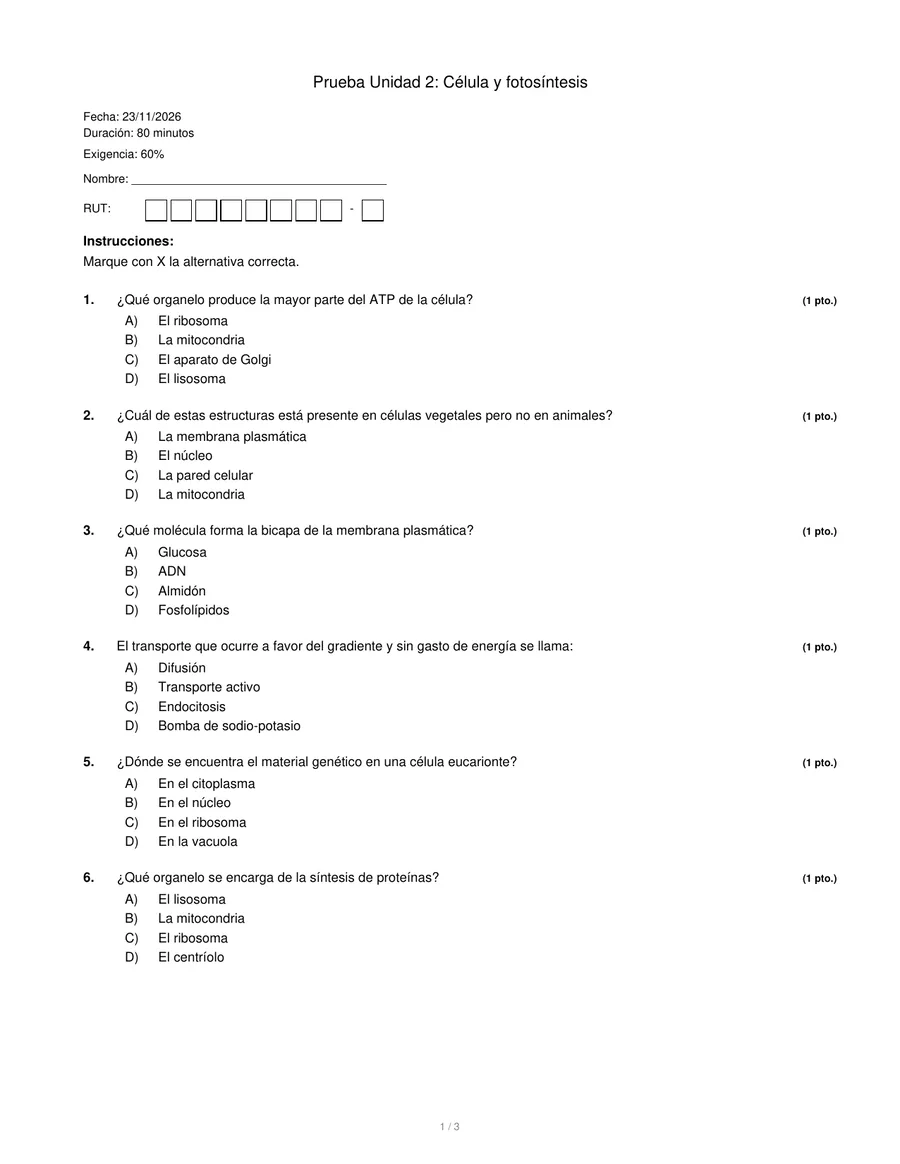
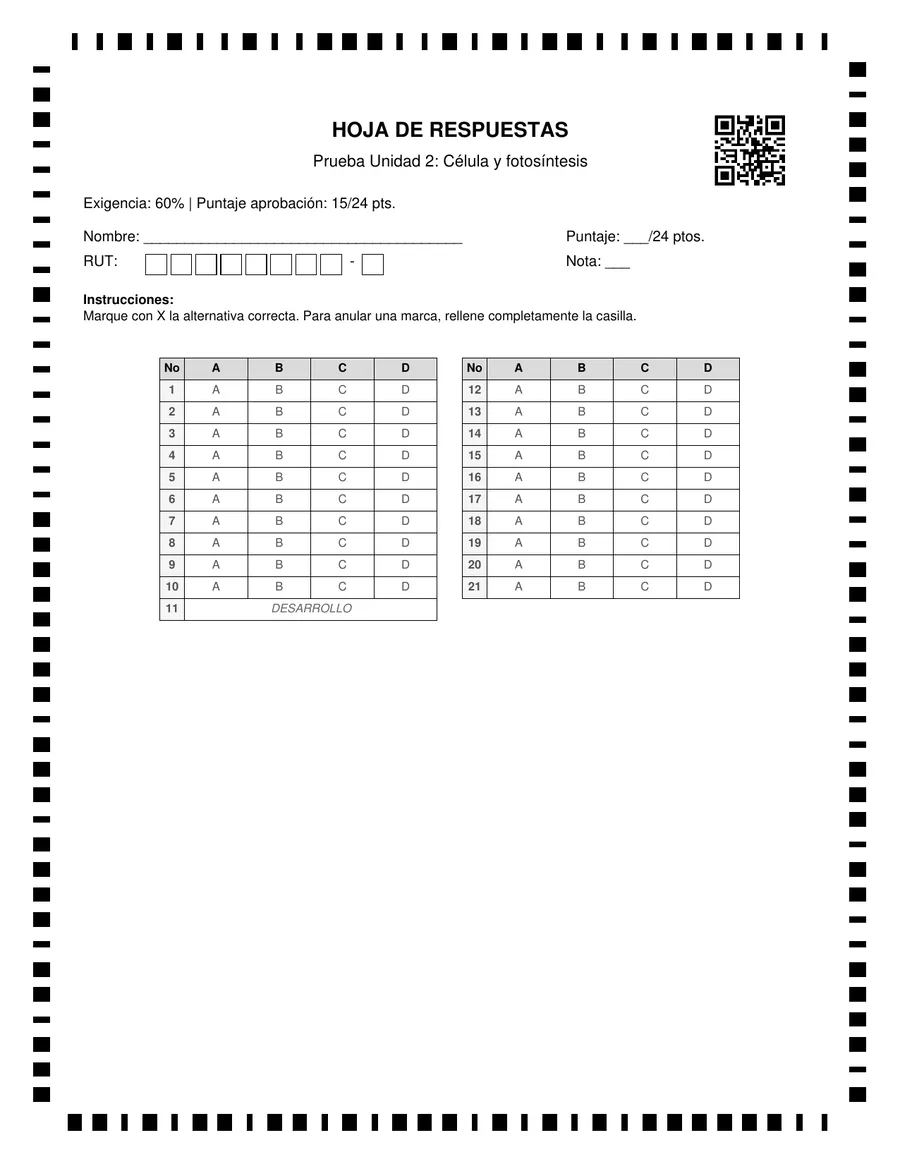
Nexam generates the test PDF and the answer sheet. You can ask for several variants with shuffled questions.
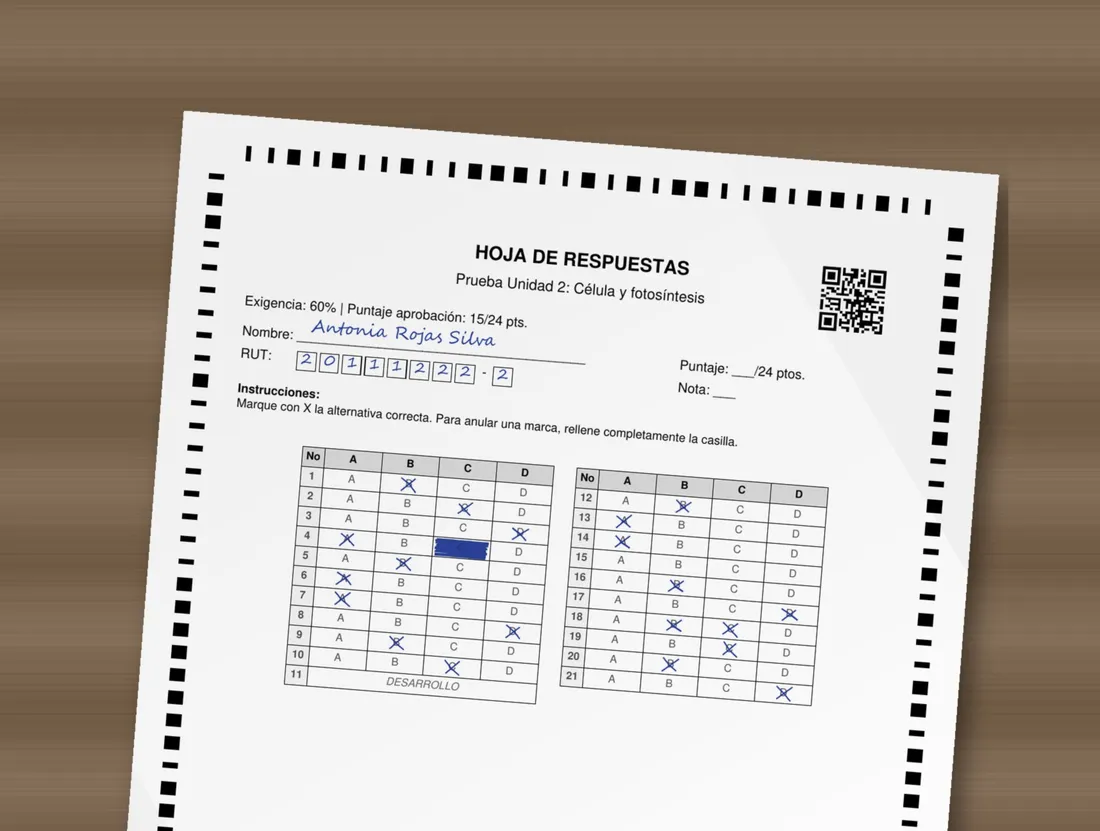
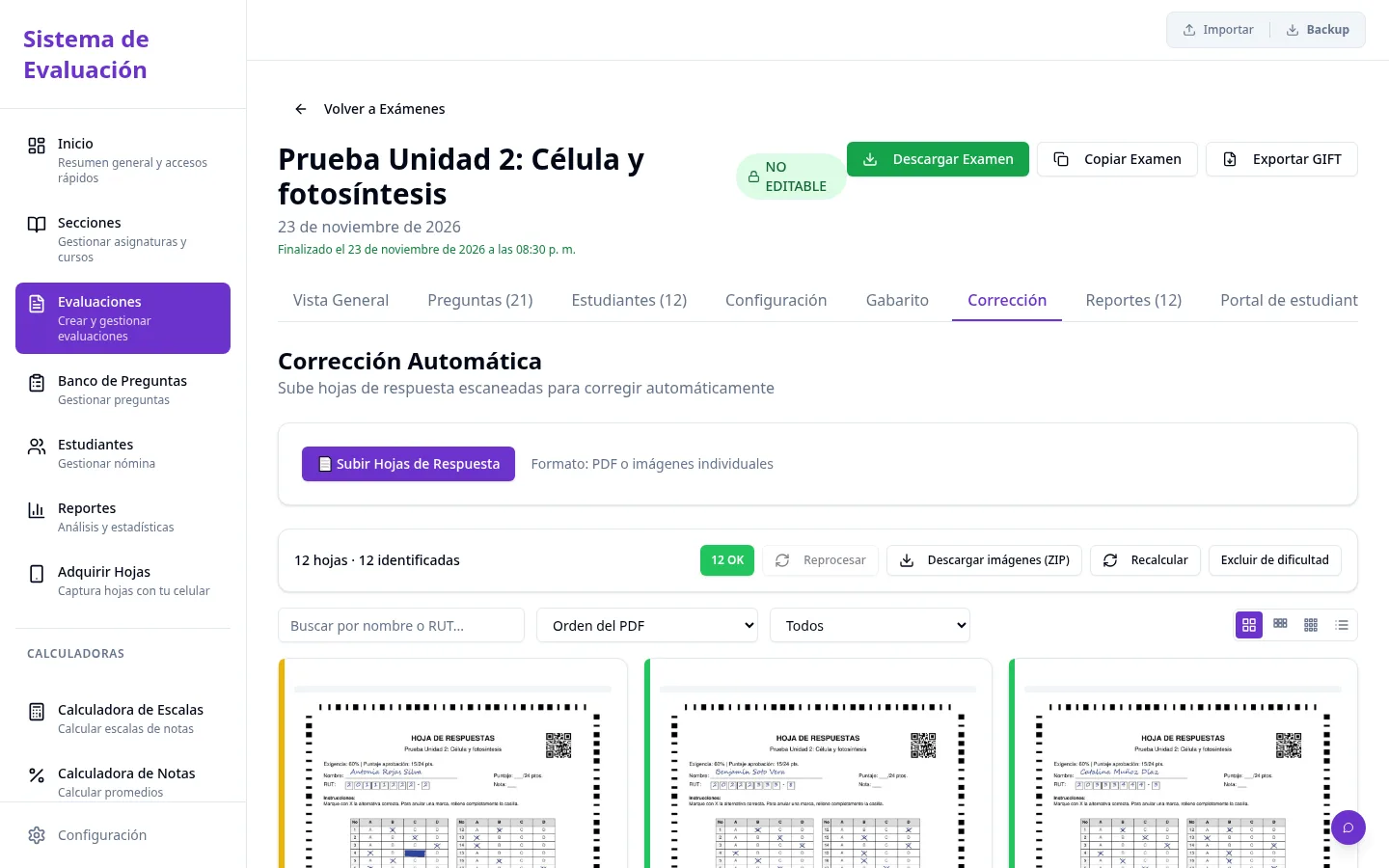
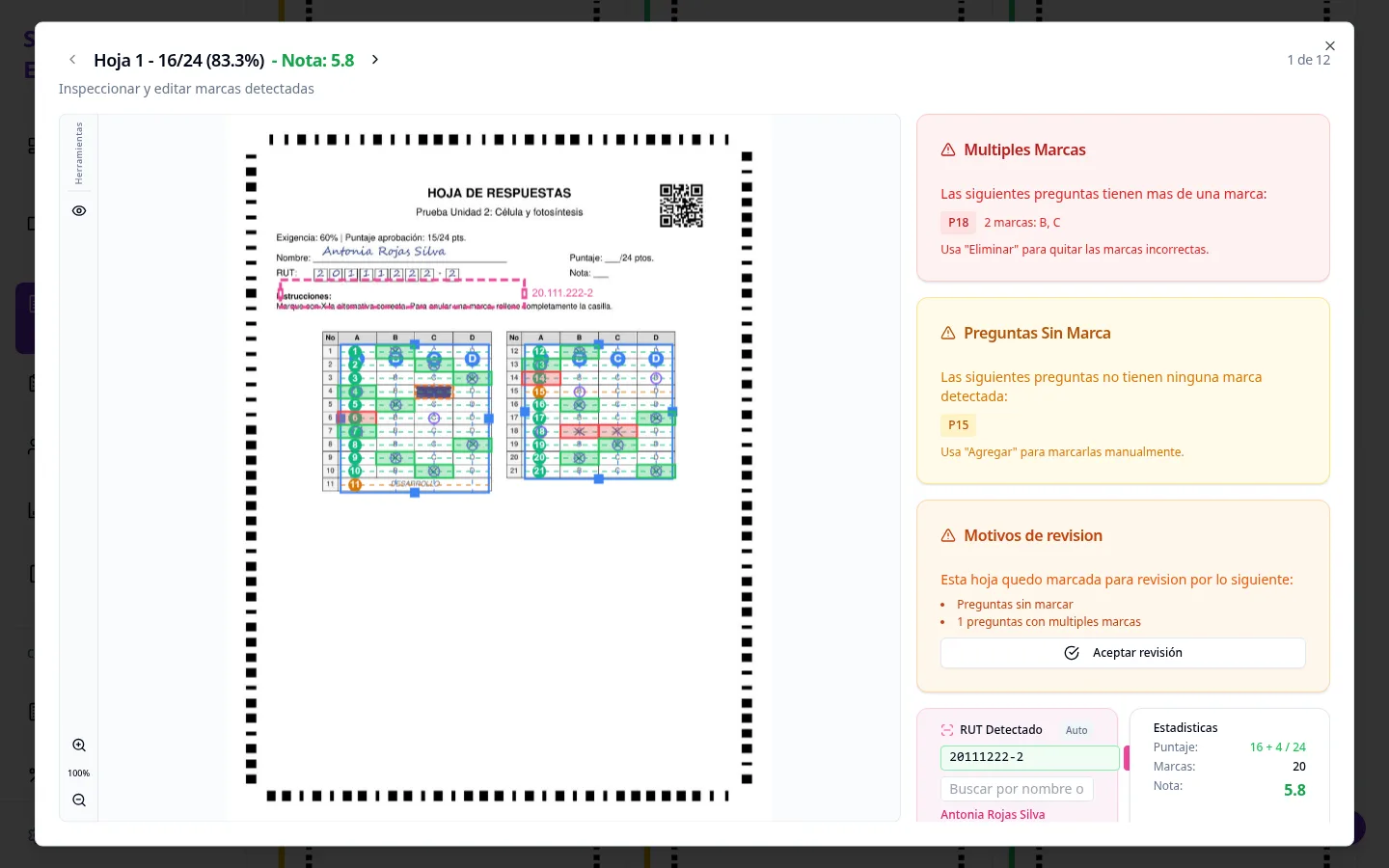
Photograph or scan the sheets. The app reads the marks and the student ID, computes the grade and shows you what is worth reviewing.
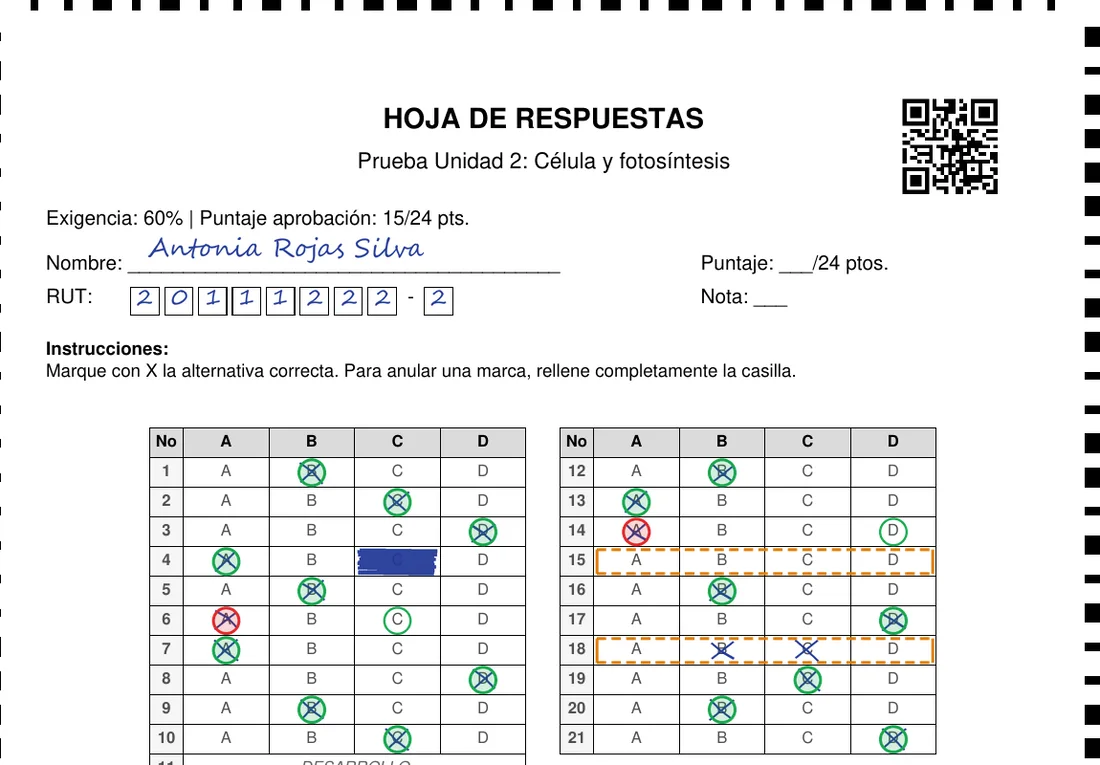
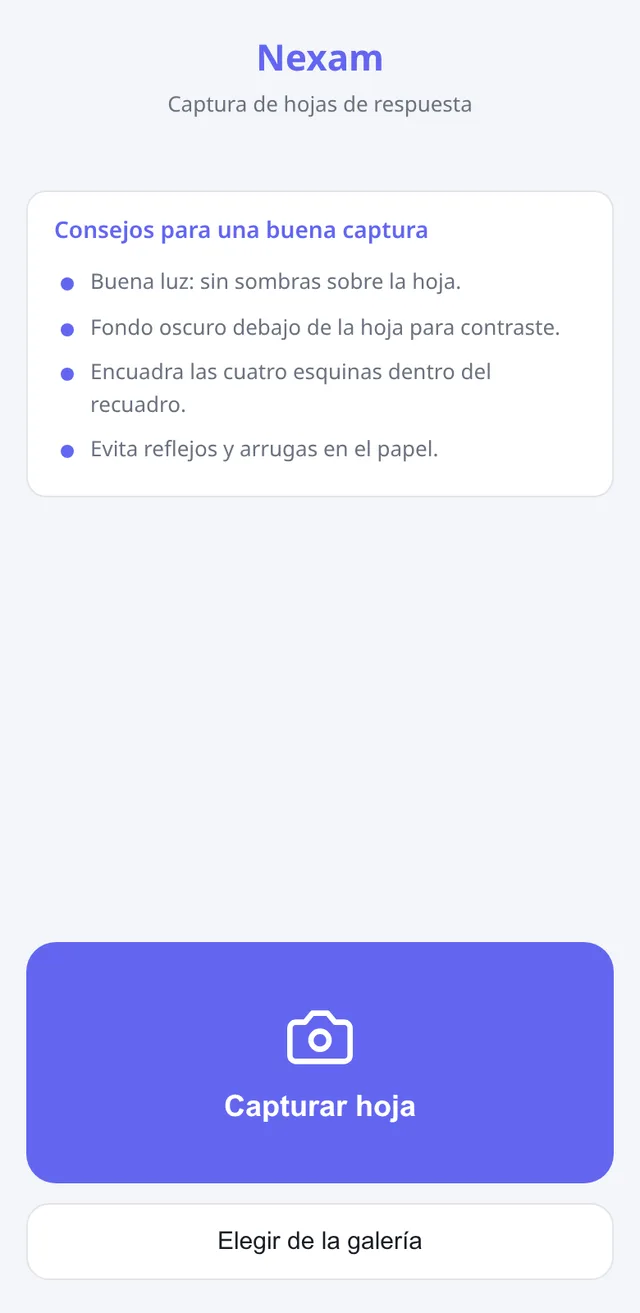
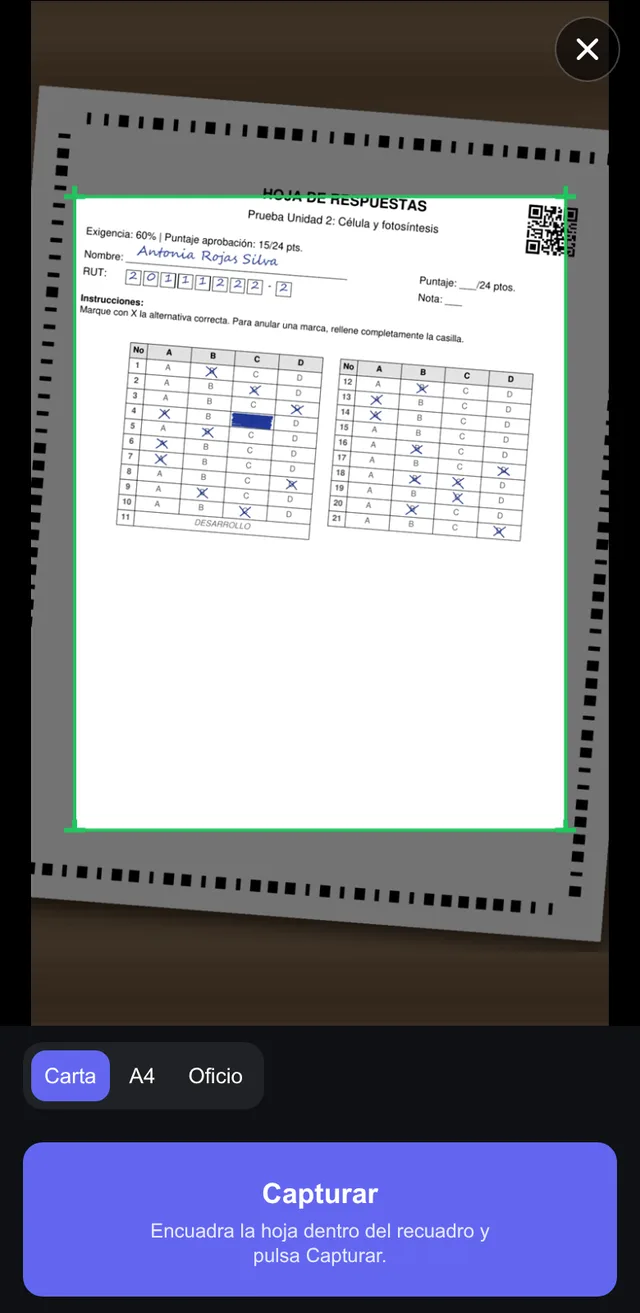
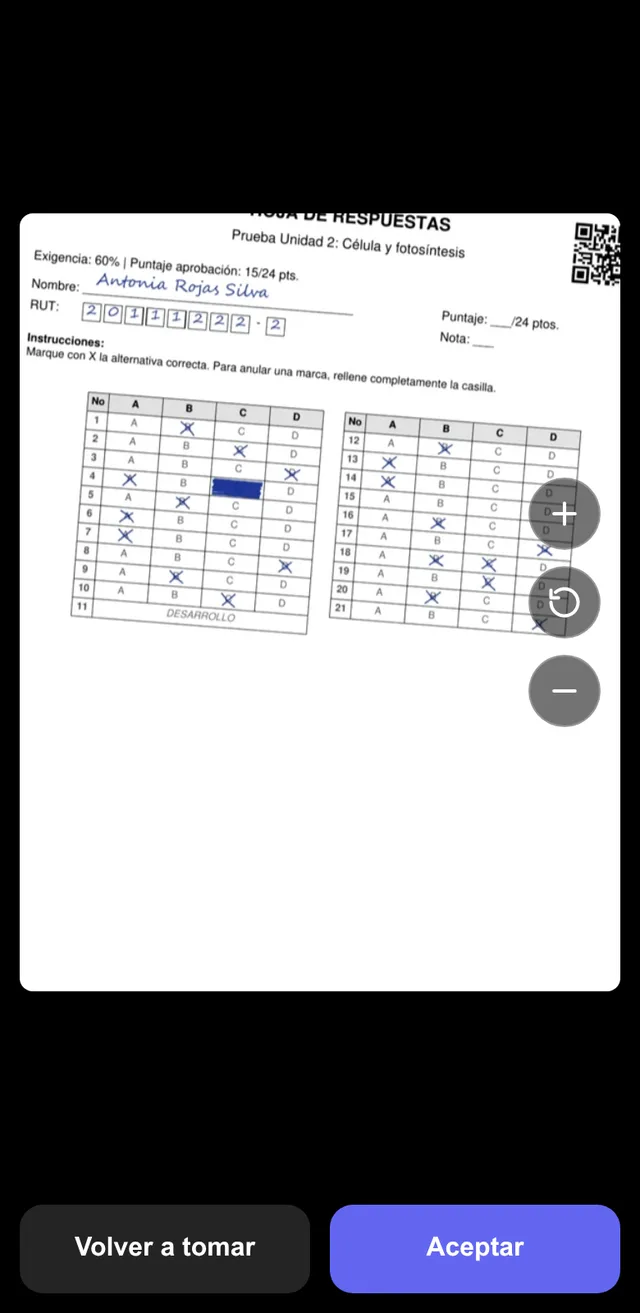
Nothing to install: a page opens from the app's QR and the photos reach the computer on their own. Real screenshots of that page.
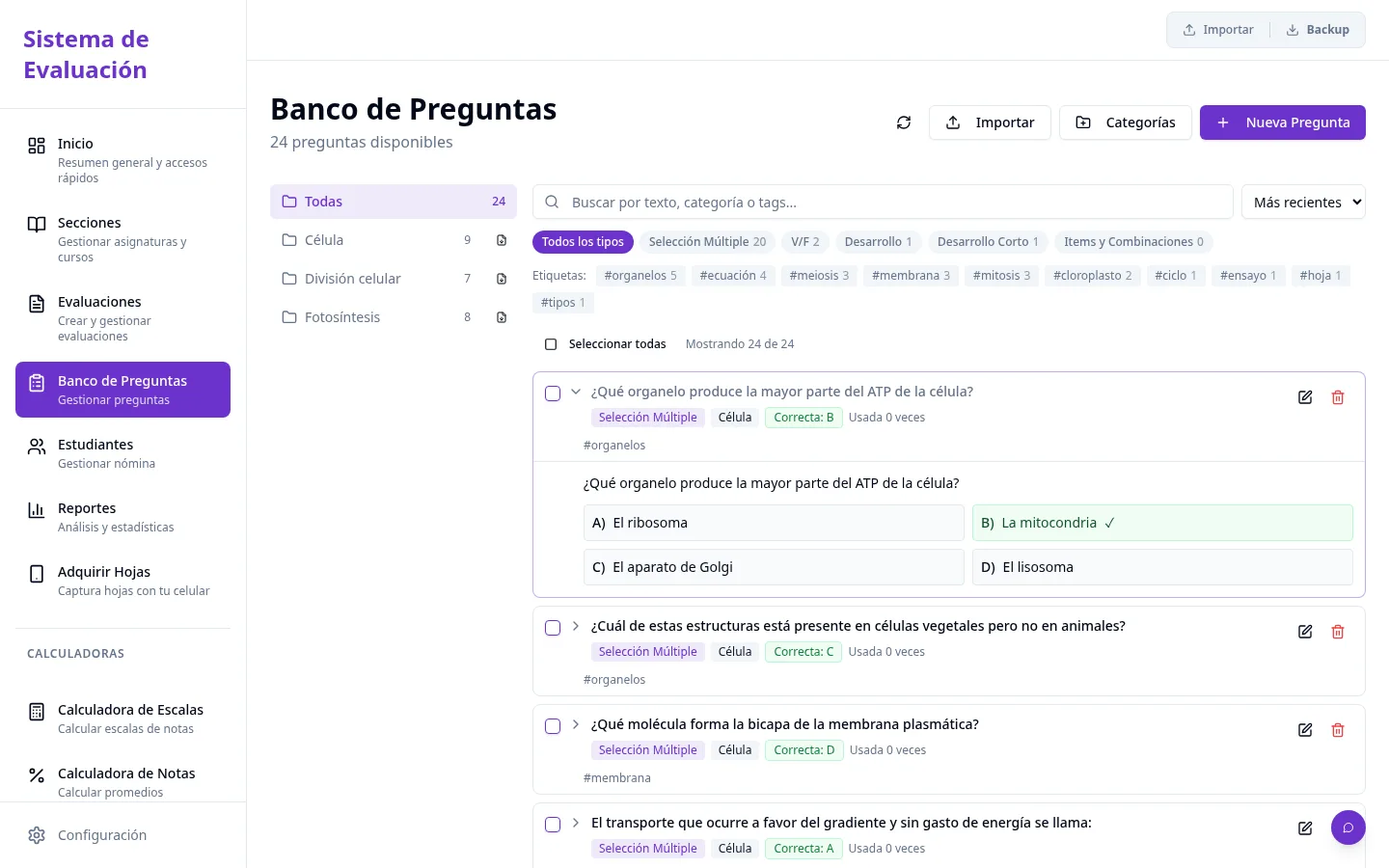
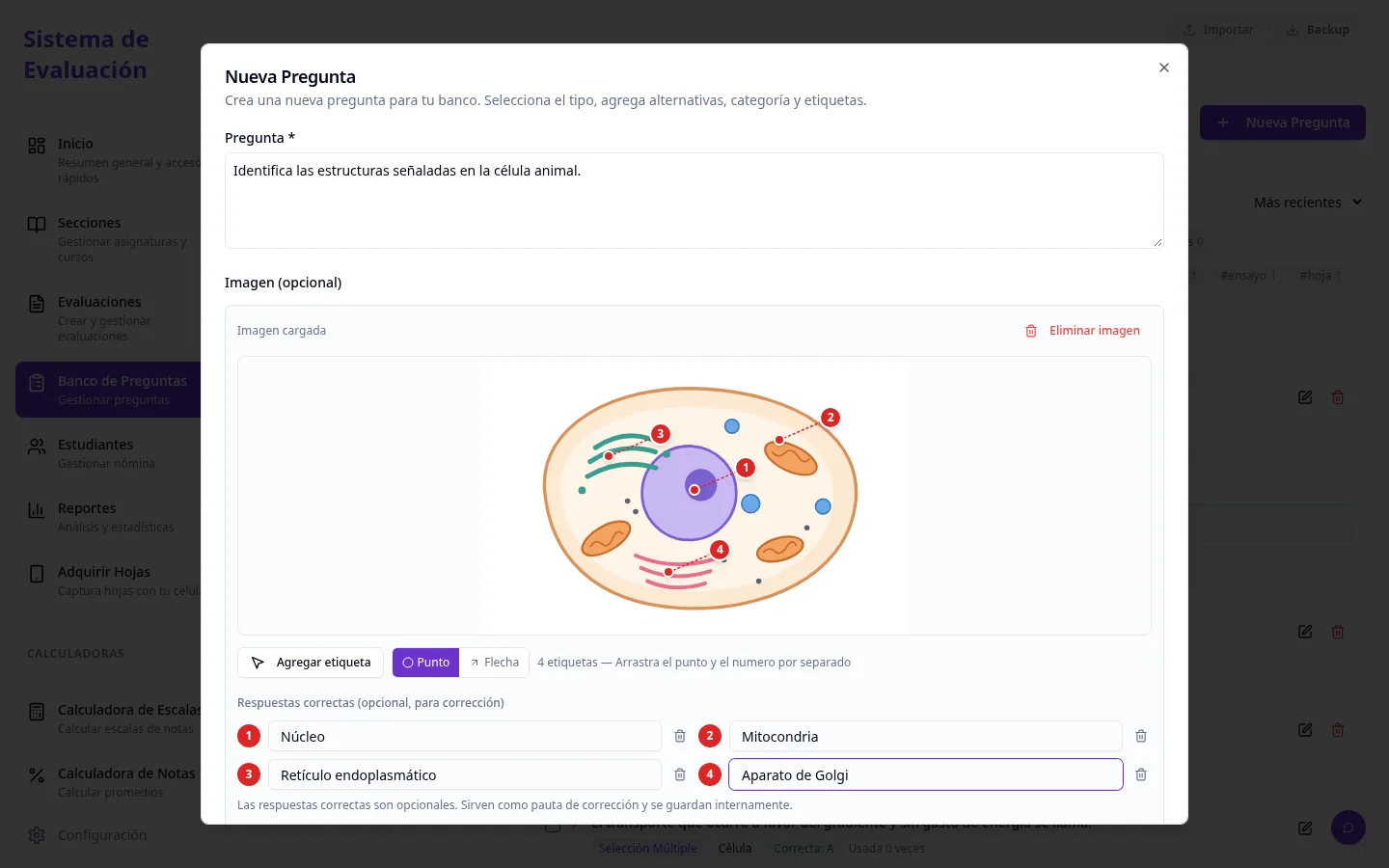
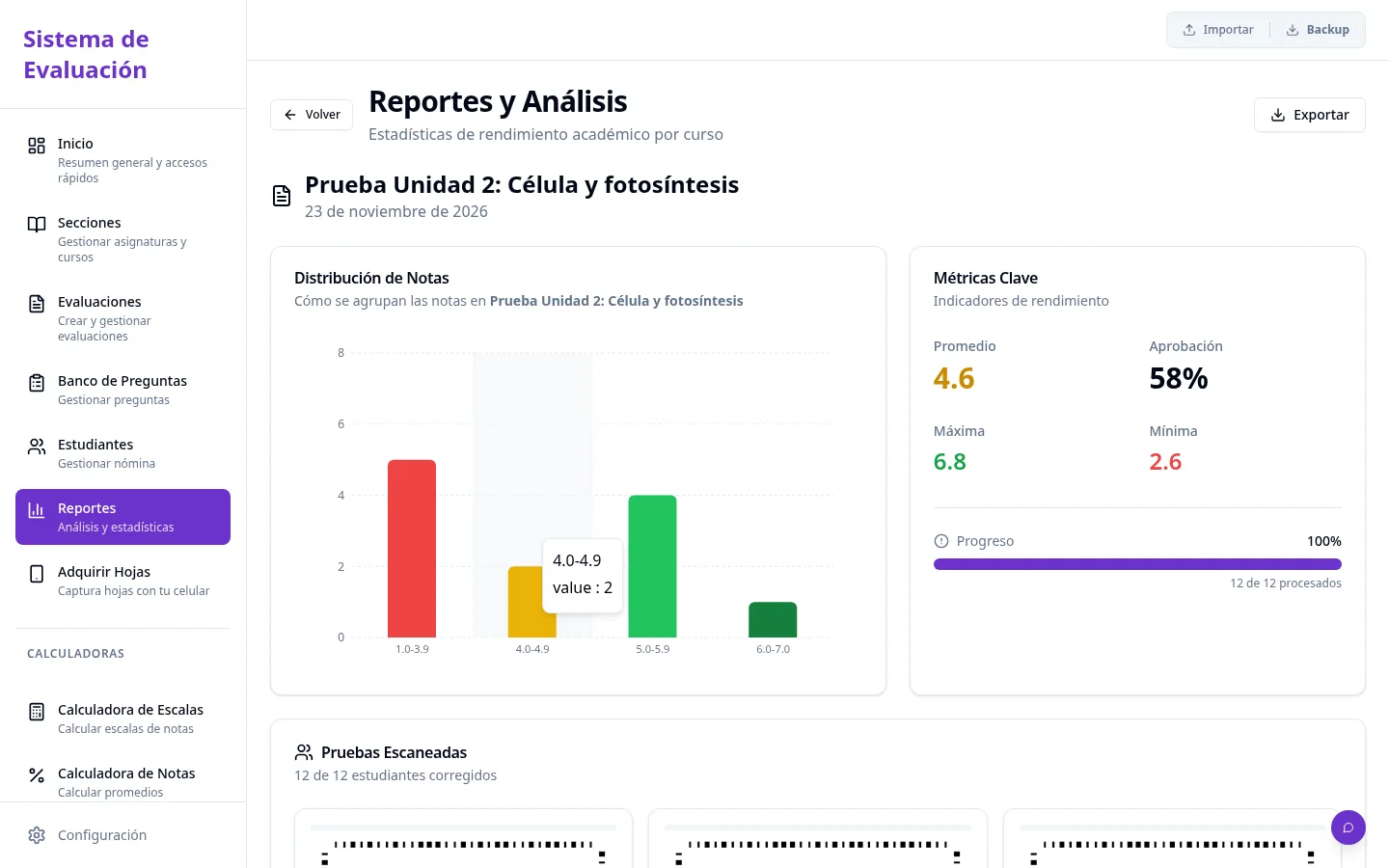
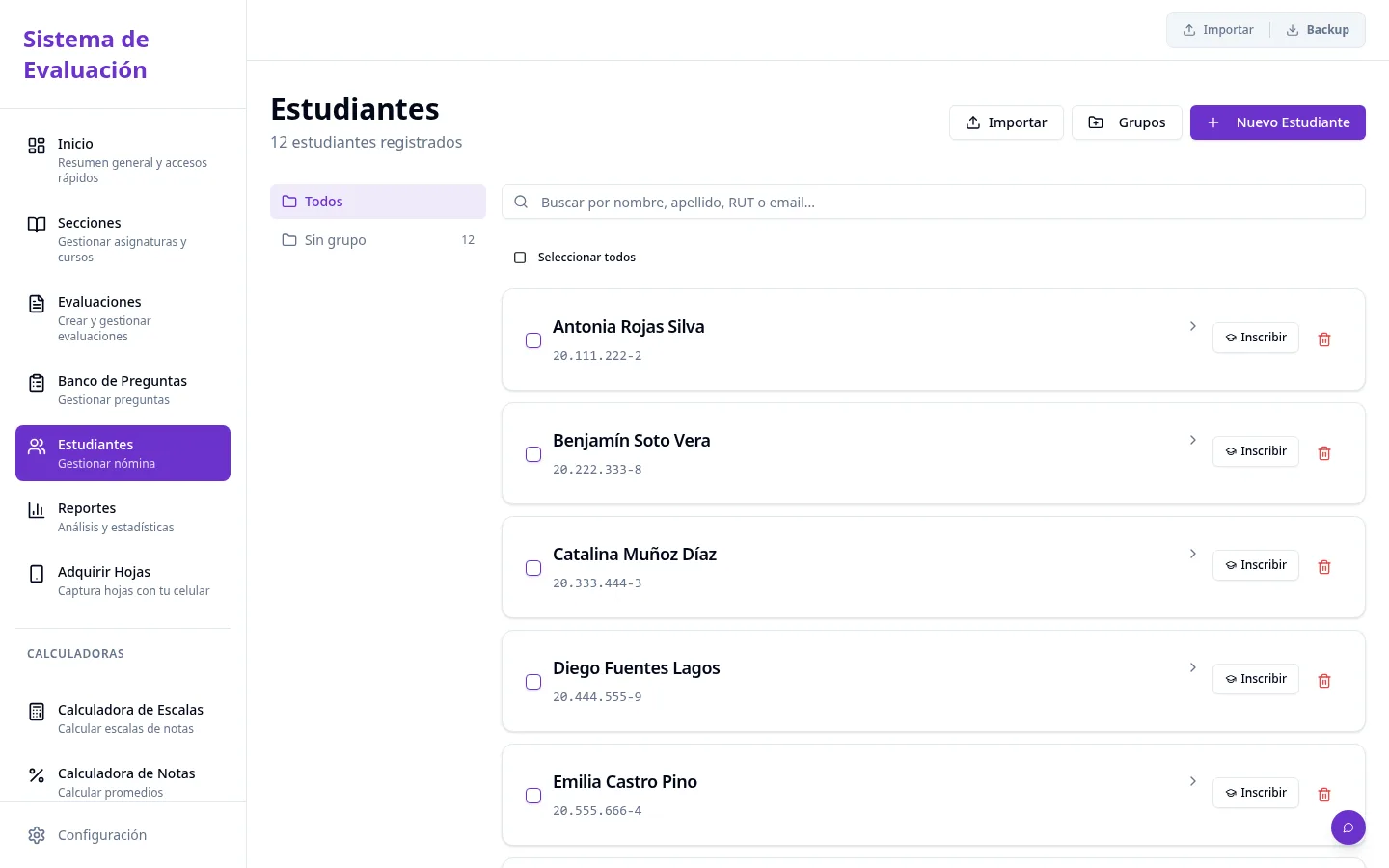
Real screenshots of the app, with sample data. The interface is available in Spanish, English, French and Portuguese.
Each sheet is encrypted and only opens with the student's ID and their access token, which can be unique per student or shared by the class. Real screenshots of the portal, with sample data.
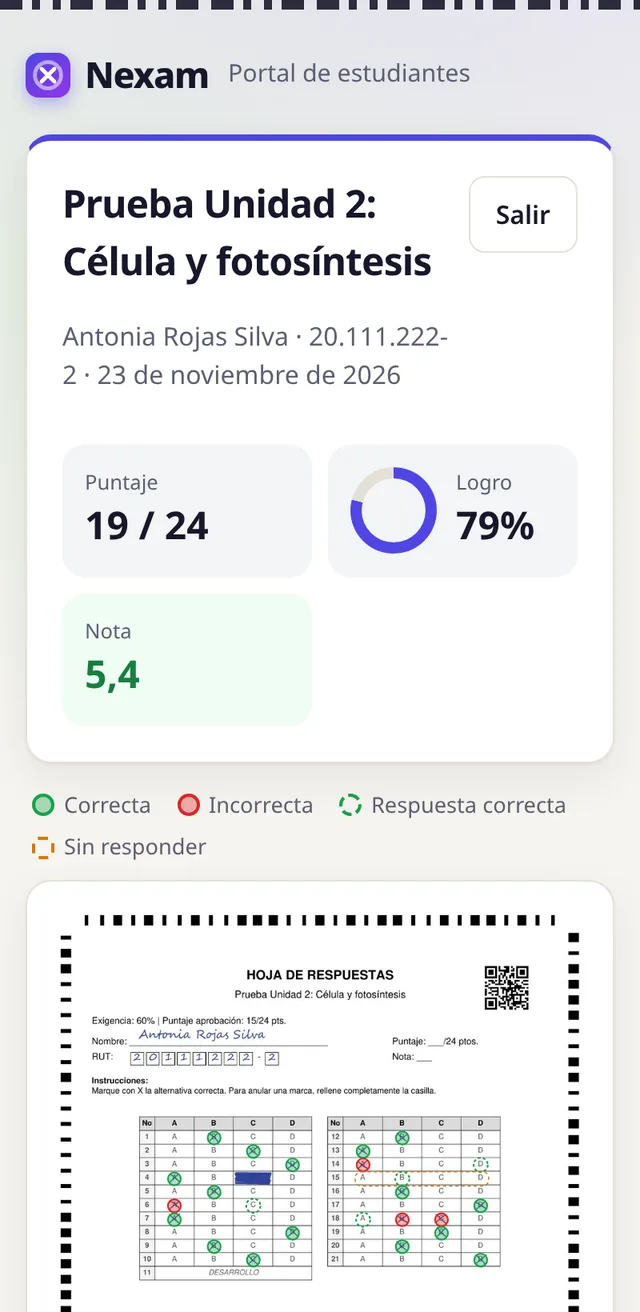
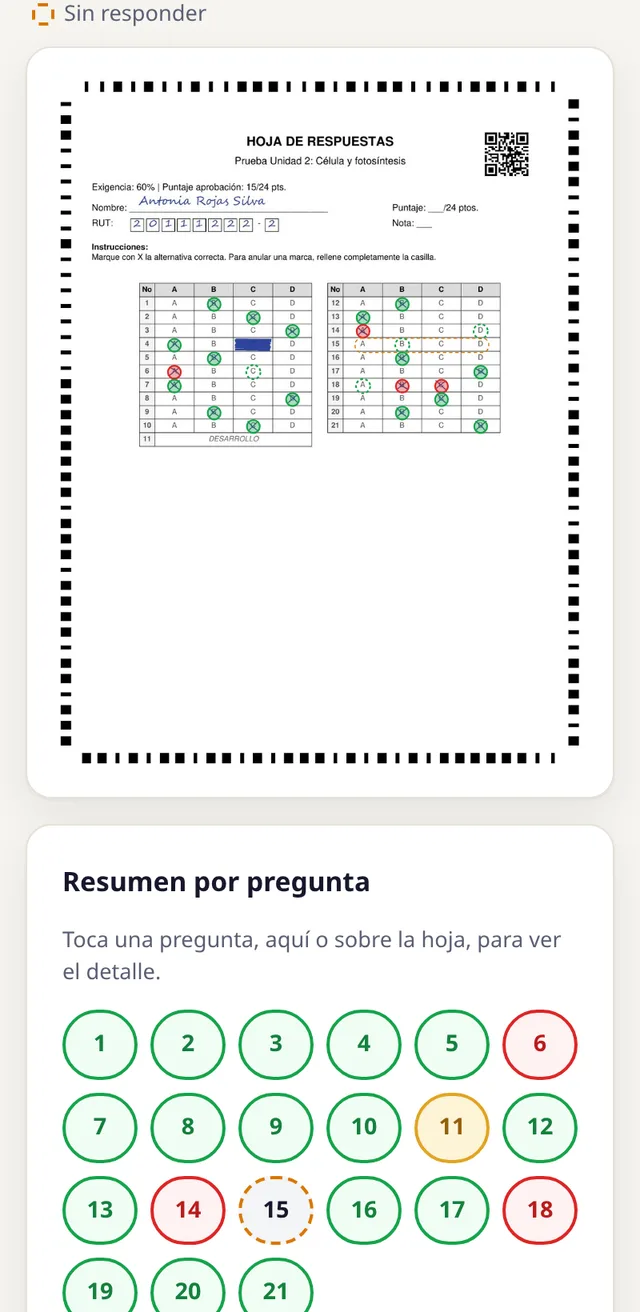
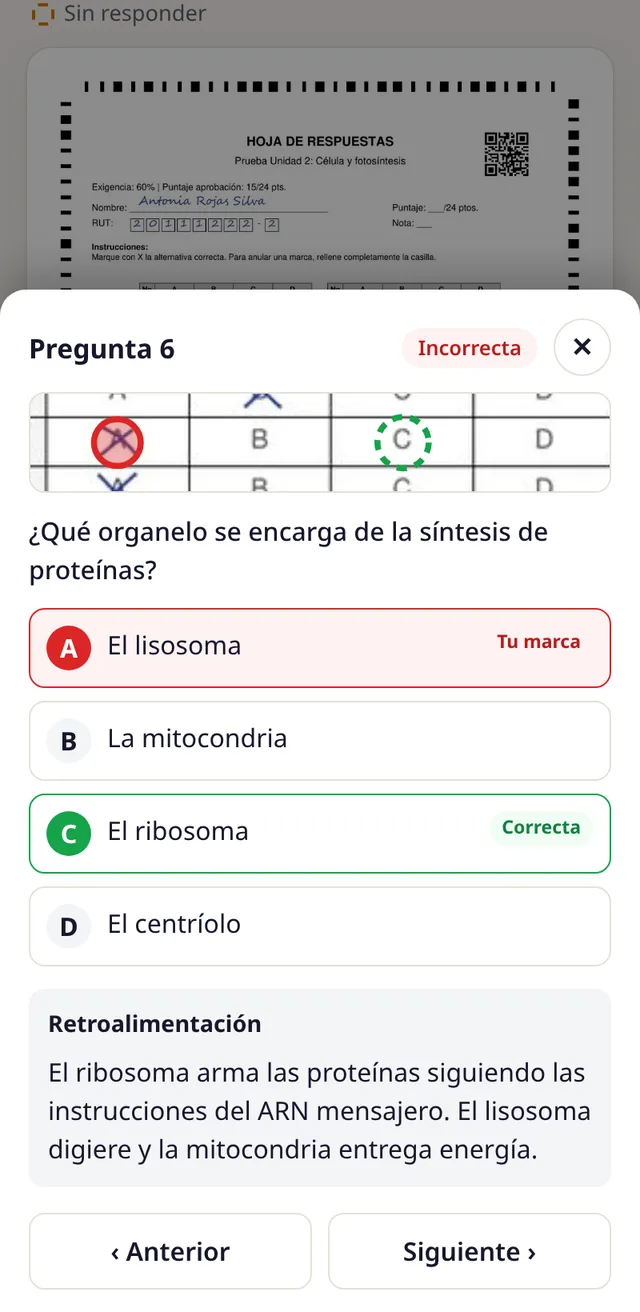
Each sheet is encrypted separately, with a key derived from the student's ID and their token. With unique tokens, only that student can open theirs; with a class token, the teacher trades isolation for convenience.
Only encrypted data is stored on nexam.org. The sheet is decrypted in the student's browser; the token is never sent to the server.
Nothing is published automatically. The teacher chooses which test to publish and what to show, and unpublishing deletes the sheets from the server.
Designed with personal data protection requirements in mind, such as Chile's Law 21.719: minimal data, encrypted and under the control of whoever publishes it.
Designed for real classroom work, not for a demo.
Create and organize your own questions by subject and tags, with images and feedback. Imports and exports in GIFT format. No questions are included.
Each variant carries its number and a QR code on the test and on the sheet, so they don't get mixed up when printing.
Sheets carry a code along the border that lets the app straighten them even if the photo is skewed.
The teacher assigns the score and can leave a comment for each student.
Results by class and by question, with export for your records.
Each student reviews their graded sheet with their ID and an access token, and can send observations.
What sets Nexam apart from a generic sheet reader.
Students don't always respect the boxes: they mark two, fill one in to cancel it or write next to it.
When a row is unclear, Nexam leaves it for the teacher to review instead of guessing.
The app works offline and stores everything on your computer.
The only thing that leaves is what you choose to publish to the portal, and it travels encrypted: it only opens with each student's ID and token.
There is no public download for now. If you are a teacher or represent a school and want to try it, write to us and we'll arrange access.
siev63850@gmail.comTell us what subject or level you teach and how many classes you have.